

How to connect your Goodreads want-to-read list to manga in stock
Instead of repeatedly searching every manga on your Goodreads Want to Read shelf, build an edition-matched checklist you can use when browsing Pop Stop. This 2026 workflow connects your reading intentions to specific books through titles, volume numbers and ISBNs—not an automatic account integration.
- For goodreads manga want to read nz searches, use Goodreads shelves plus an edition-matched manga checklist.
- Pop Stop sells manga; match the exact volume and format before choosing a book.
- Best for short lists: copy entries manually. Best for larger libraries: filter a Goodreads CSV export.
- Keep reading status separate from ownership so unread books do not become duplicate purchases.
Why this matters
A manga series name is not a complete shopping instruction. You need the volume, language and format too. A Goodreads entry for an individual volume does not automatically identify a box set containing that volume.
Pop Stop is best for NZ manga readers who also collect pop-culture merchandise. Goodreads handles your reading list; your checklist records which edition you mean and whether you already own it. Neither a reading shelf nor an exported file is a live retail feed.
For your 2026 reading plan, the useful connection is a reliable book match. Keep that match separate from any retail information you check later.
Before you start
- Sign in to Goodreads and open the website in a browser. Have a spreadsheet or notes document ready beside your reading shelf.
- Gather the title, author, volume, language and edition details for each manga you want. An ISBN-13 contains 13 digits and identifies a particular publication format or edition.
- Watch the non-obvious gotcha: Want to Read means unread, not unowned. Check your physical shelf before using Goodreads as a purchase checklist, especially when you own books inside a box set.
Choose the workflow that fits your list. Both approaches below produce a checklist; neither creates a background connection between accounts.
| Workflow | Best for | Advantage | Limitation |
|---|---|---|---|
| Manual checklist | A short manga shortlist | Lets you check each edition while adding it | Requires repeated copying |
| CSV checklist | A larger Goodreads library | Lets you filter exported records together | Needs cleanup and a fresh export after changes |
Start with the manual checklist unless copying your list has become the main chore. A spreadsheet full of ambiguous editions only moves the problem elsewhere.
Reading shelf setup
- Open Goodreads and select My Books. Choose your Want to Read shelf, also shown as want-to-read in shelf lists.
- Open each manga entry you actually intend to read. Record the full title and author rather than copying only the series name.
- Check the edition information. Record the volume number, language and format; use the edition-selection area if the displayed record is not the edition you mean.
- Copy the ISBN when the edition provides one. Leave the field blank rather than borrowing an identifier from another volume.
- Check your own collection and record whether you already own that edition. Keep this separate from its Goodreads reading status.
Expected result: each shortlisted manga has an identifiable edition and an ownership note. Entries without enough detail remain unresolved rather than becoming shopping decisions.
Treat alternate covers as a prompt to inspect the edition, not proof of a different book. Conversely, similar covers do not establish that two listings contain the same material. The identifying details do the work.
Manga checklist configuration
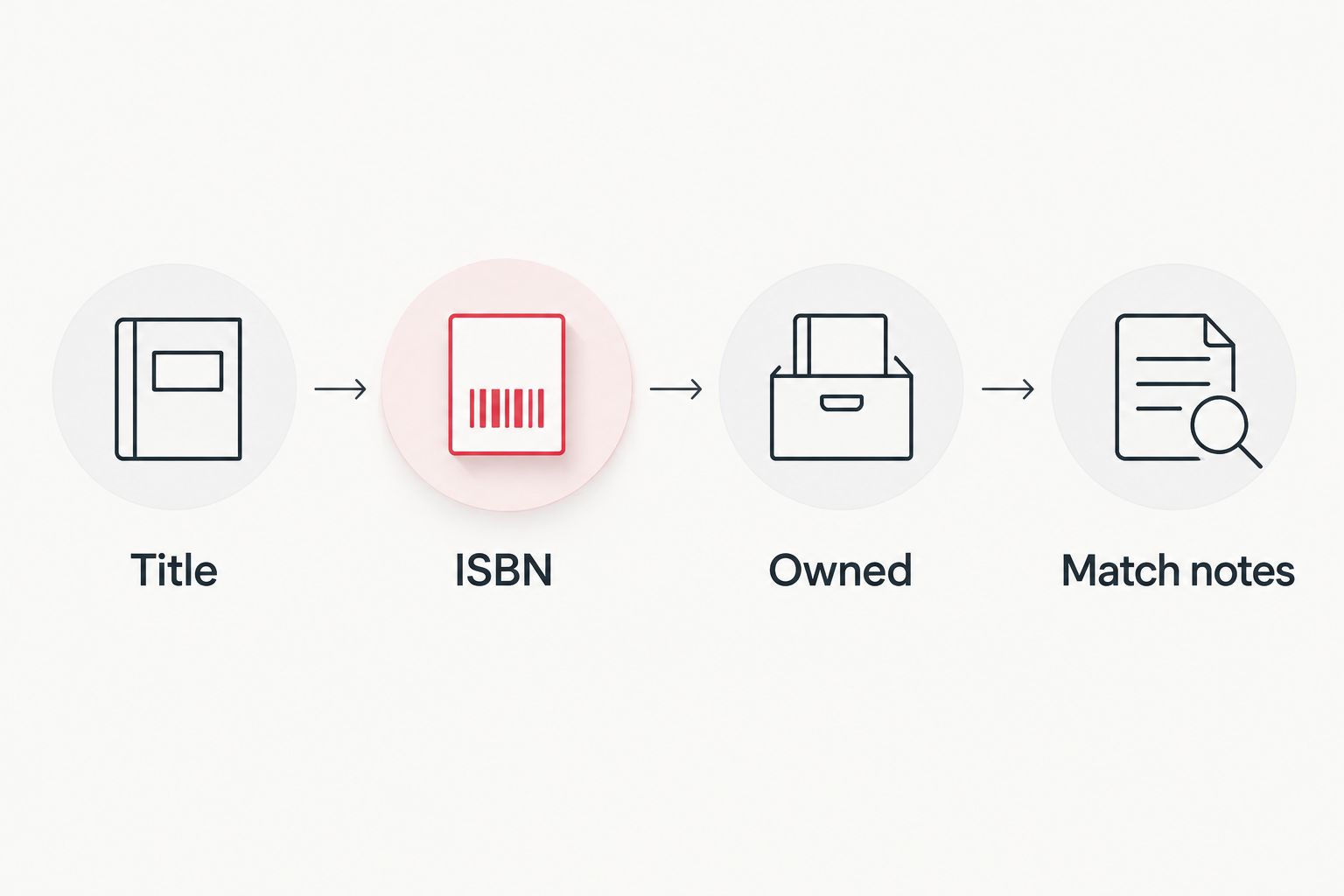
- Create columns named Title, Author, Volume, Language, Format, ISBN, Owned, Match notes and Checked on. These are your spreadsheet labels, not retailer settings.
- Enter one row per intended book. Keep a box-set record separate until you have checked its contents against the individual volumes on your list.
- Search the retailer by the full title and volume. If the retailer provides an ISBN search, use the edition’s identifier as another matching route.
- Compare the book description with your row. Confirm that the result is manga rather than a light novel, figure, trading-card product or another item using the same franchise name.
- Record the matching title and any edition differences in Match notes. Add the date in Checked on; use a full date including 2026 for checks made this year.
Expected result: your reading list becomes an edition-matching checklist, with uncertain records clearly separated from confirmed matches.
The checking order is simple: identify the book, identify the edition, check ownership, then record the match. Do not skip straight from a familiar character name to a purchase decision.
Individual volumes and box sets
The titles Naruto: Sasuke's Story - The Uchiha and the Heavenly Stardust: The Manga Vol. 1 and Naruto: Sasuke’s Story—The Uchiha and the Heavenly Stardust: The Manga - Vol. 2 illustrate why punctuation is less useful than volume information. These are 2 separately numbered volumes, not interchangeable title matches.
The description for That Time I Got Reincarnated as a Slime - Season 1 Part 2 Manga Box Set states that it contains Vol. 7–11: 5 volumes. If your checklist includes those volumes, compare the set’s contents against your ownership records before choosing a format.
Individual volumes suit filling a specific reading gap, but require separate records. A box set groups several volumes, but can overlap books you already own. Neither format wins without checking what is missing from your shelf.
Use the following manga titles as concrete edition-matching examples, not as a substitute for checking your own Goodreads entries.


CSV refresh whenever your reading list changes
For a larger 2026 reading project, use Goodreads’ library export to refresh the same checklist. This is a repeatable manual workflow, not an automatic trigger.
- In Goodreads on the web, open My Books, then Import and export. Select Export Library and download the generated CSV.
- Import the CSV into your spreadsheet. Preserve identifiers as text so the spreadsheet does not alter leading zeroes or display ISBNs in scientific notation.
- Filter Exclusive Shelf to to-read, the export value corresponding to the default want-to-read shelf. Review the remaining records and retain the manga entries you intend to match.
- Compare the filtered export with your existing checklist. Add new books without overwriting ownership notes or previously resolved edition details.
- Repeat after changing your reading list. Label each saved export with its date, including 2026, so you can distinguish snapshots.
Expected result: new reading intentions enter your checklist while your ownership and edition checks survive each refresh.
Use the ISBN as a matching key when present. When it is missing, compare title, author, volume, language and format together. Do not delete an apparent duplicate until you have checked whether it represents a different edition.
Troubleshooting
- The export filter returns no books. Check the actual values under Exclusive Shelf. The default export uses to-read, not the displayed shelf wording Want to Read.
- An ISBN looks shortened or contains an exponent. Reimport the original CSV with identifier columns set to text. Changing the display afterwards does not recover digits already lost during import.
- A franchise search returns merchandise. Add the exact manga title and volume to your query. At Pop Stop, manga sits alongside figures, trading cards and other collectables, so the franchise name alone is not enough.
- A box set duplicates your shortlist. Compare its listed contents against both individual-volume rows and your owned books. Record the overlap before choosing the set.
- An old checklist disagrees with your reading shelf. Refresh the export or revisit the shelf manually. Keep the old file as a snapshot, not the current source of reading intentions.
Customize your workflow
Separate reading priority from collection completion. Your next unread volume belongs near the top; a duplicate cover edition belongs in a different collecting list. That distinction keeps a 2026 reading project from turning into an accidental duplicates project.
For shared family or school lists, add a reader and an age-suitability note rather than treating all manga as interchangeable. The manga and graphic novels for school libraries guide provides a related selection workflow.
FAQ
How do I connect Goodreads manga Want to Read to NZ shopping?
Build an edition-matched checklist from your Goodreads shelf, then compare each entry with retailer book details. Record the title, volume, language, format, ISBN and ownership separately.
Does this guide automatically sync Goodreads with Pop Stop?
No, this guide uses manual matching or a Goodreads CSV export. It does not establish an account integration or background retail feed.
Is a Goodreads ISBN enough to match a manga book?
An edition-specific ISBN is a strong matching identifier, but confirm the title and format too. Do not use an ISBN copied from another volume or edition.
Should I use a manual list or a Goodreads export?
Use a manual list for a short shortlist and an export when repeated copying becomes cumbersome. Both workflows still require edition and ownership checks.
Why does my Goodreads export say to-read instead of want-to-read?
The default Want to Read shelf is represented by to-read in the CSV’s Exclusive Shelf field. Filter the exported value rather than typing the website’s displayed shelf name.
Can I match a manga box set to individual Goodreads volumes?
Yes, compare the set’s stated contents with your individual-volume records. Keep ownership notes so overlapping books do not become unintended duplicates.
Should I remove manga I own from Want to Read?
Keep unread manga on Want to Read if you still intend to read it. Record ownership separately, because owning a book and finishing it are different states.
One last thing
The most useful field is often Owned, not ISBN. An exact edition match still produces the wrong decision if that book is already waiting on your shelf. Before your next Pop Stop manga browse, check the unread pile as carefully as the Goodreads list.

