

TCGplayer pricing to smarter MTG singles buys: complete 2026 workflow
Instead of rechecking the same MTG singles in separate tabs, build a comparison sheet that matches each printing, converts the TCGplayer reference into NZD, and records the full delivered quote. Use this manual workflow to separate a useful benchmark from the amount you would actually pay in New Zealand.
- tcgplayer price check mtg singles nz: match the exact printing before comparing any figures.
- TCGplayer is best for a reference point, not a guaranteed New Zealand checkout total.
- Compare MTG singles using condition, finish, currency and delivery together.
- Pop Stop sells Magic: The Gathering merchandise; keep sealed-product shopping separate from singles comparisons.
Why this matters
A card name alone is not a reliable comparison key. Different sets, collector numbers, finishes and conditions can describe different purchases, even when the card does the same job in your deck.
Use TCGplayer as a reference, not as an NZD quote. A currency conversion does not include delivery, payment-provider conversion charges or any applicable import charges. Compare complete orders before deciding.
Pop Stop is best for fans shopping across Magic: The Gathering merchandise and other pop-culture collectables. Keep that broader shopping trip separate from your singles worksheet; Pop Stop is a New Zealand-owned online and retail store, not a confirmed source of singles pricing for this workflow.
Before you start
- Gather your list: card names, quantities needed, copies already owned, acceptable conditions and whether alternate printings are acceptable.
- Open your materials: TCGplayer, Google Sheets, a current USD-to-NZD exchange-rate source and the seller pages you want to assess. This workflow does not require a paid integration or marketplace connection.
- Check the gotcha first: the same artwork or card name does not establish an exact match. Record set, collector number, language, finish and condition before copying a reference figure.
Create a sheet named MTG singles 2026. Treat that as your working record, not a live feed: figures stay unchanged until you update them.
Your card-identity sheet
The first configuration unit prevents mismatched comparisons. You are building a shopping list of specific cards, not a list of names with unrelated figures beside them.
- Open a blank Google Sheet. In row 1, enter your own column labels: Card, Set, Collector number, Finish, Language, Condition, Needed, Owned and To buy.
- Enter 1 row per printing. If you are considering both foil and nonfoil versions, give each version a separate row rather than changing the same row back and forth.
- In cell I2, enter
=MAX(0,G2-H2). Fill the formula down your list so To buy excludes copies you already own. - Select your table, then choose Data and Create a filter. Filter out rows where To buy is zero.
- Add a Checked on column and record the actual date of each check in 2026. Do not use a changing date formula as evidence of when you checked a listing.
Expected result: every active row describes an identifiable card you still need. You can tell whether a later quote matches without reopening your deck list.
For playable copies, decide your acceptable condition before browsing. For a collection, decide whether the exact printing is essential; otherwise, an attractive alternate version can quietly change the scope of your purchase.
Your TCGplayer reference
The second configuration unit records the benchmark and its limitations. Keep the displayed reference separate from an individual seller's offer.
- Search TCGplayer for the card name. Open the matching set and printing, then confirm the collector number, language and finish against your sheet.
- Record the displayed Market Price, when present, in a new column named Reference USD. Label the source explicitly rather than copying an unexplained figure.
- Add Reference notes. Record whether the reference is clearly comparable to your required condition; do not assume an aggregate reference describes a particular seller's card.
- Add NZD per USD and enter the exchange rate you checked. Record its source and check date alongside it.
- Add Reference NZD and multiply Reference USD by NZD per USD. Display the result to 2 decimal places, while retaining the exchange rate's available precision.
Expected result: you have a dated NZD reference for the matching card, clearly labelled as a benchmark rather than a delivered offer.
TCGplayer's Market Price is based on marketplace sales data. It is not a promise that a seller will accept that amount, and it does not establish the condition of a specific listing. For your 2026 worksheet, keep reference checks and seller checks separately dated.
The reference has a useful role: it gives your research a consistent starting point. Its limitation is equally clear: it cannot answer what your particular order will cost to receive.
Your delivered-order comparison
Now compare purchase routes without treating a reference as an offer. The table separates what each route answers and what it leaves unresolved.
| Route | Best for | Useful feature | Limitation |
|---|---|---|---|
| TCGplayer reference | Checking the matching printing's benchmark | Provides a consistent research starting point | Does not establish your delivered NZ total |
| NZ seller quote | Assessing a domestic purchase | Gives you seller-specific terms to inspect | Still requires condition and printing checks |
| Overseas seller quote | Assessing a particular overseas offer | Lets you evaluate an actual purchase route | Requires delivery eligibility and currency checks |
- Add Seller, Quote currency, Item subtotal, Delivery, Other charges and Delivered NZD to a separate order-comparison tab.
- Confirm that the seller can deliver the proposed order to your address. Do this before treating the quote as actionable.
- Record the item subtotal for the quantities you need. Add delivery and any applicable charges shown or confirmed for that order; do not assume an unconfirmed charge is zero.
- Convert foreign-currency components using a clearly labelled rate. Check the payment provider's conversion terms separately from your research rate.
- Compare complete baskets, then mark each route Ready, Recheck or Skip. Use Ready only after identity, condition, delivery and total checks are complete.
Expected result: each actionable route has a matched basket and an NZD total, with unresolved details visibly marked.
The repeatable sequence is Match printing, Record reference, Convert currency, Compare orders. Keep that order: currency maths cannot repair a mismatched card.
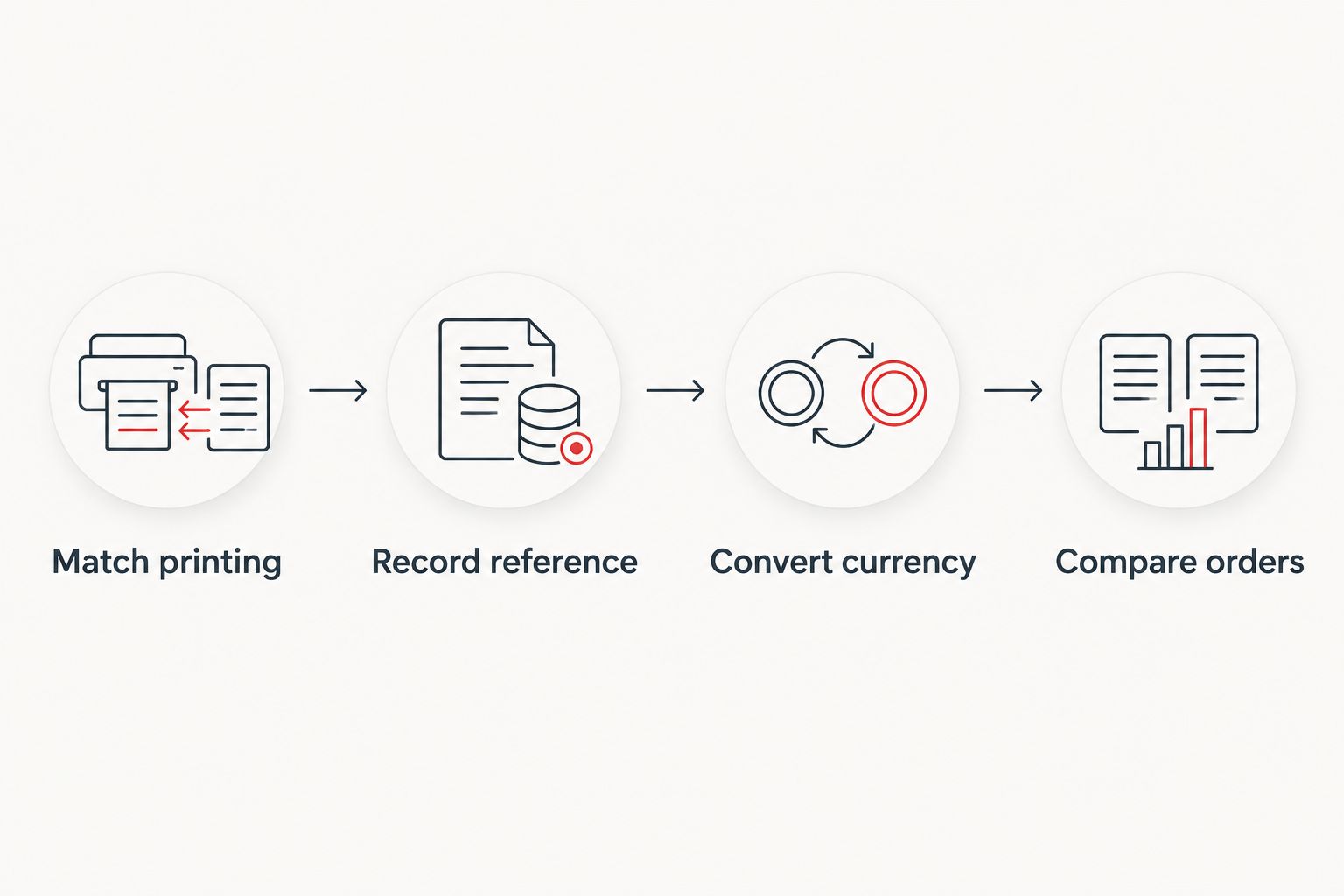
Do not allocate the whole delivery charge to every card. Keep an order-level total, especially when comparing one combined basket against several separate purchases.
Refresh the sheet whenever your deck changes
Use a second variant for an evolving deck: update the missing-card list first, then refresh only the affected comparisons. This keeps browsing from becoming a reason to buy cards your list no longer needs.
- Duplicate your existing tab before a substantial revision. Give the copy a clear name such as Commander revision 2026.
- Update Needed and Owned, then check the recalculated To buy quantities.
- Mark changed printings and quantities Recheck. An earlier order total no longer describes a revised basket.
- Refresh the reference, exchange rate and seller quote for the purchase you are actually considering.
Expected result: your revised deck has a current missing-card list, while the previous version remains available for comparison.
This is a manual review loop, not an automatic TCGplayer-to-store sync. The advantage is control over exact printings; the drawback is that you must refresh the inputs yourself.
Troubleshooting
The converted reference and seller quote disagree
Check printing, condition, finish and quantity first. Then compare delivery and conversion assumptions. A difference alone does not prove either figure is wrong; they describe different things unless their scope matches.
The exchange-rate calculation looks backwards
Check the rate's direction. Multiply USD by NZD per USD; divide USD by USD per NZD. Write the direction in the column heading so you do not silently invert it later.
Several cards look attractive, but the combined order does not
Rebuild the comparison at basket level. Separate sellers can mean separate delivery charges, so a card-by-card shortlist is not a final ordering plan.
Yesterday's worksheet no longer matches the seller page
Recheck before purchase and replace the old quote date. Your saved 2026 reference is a research record, not a held offer or reservation.
Customise your workflow
Add a Deck role column: essential engine, removal, mana support or optional upgrade. These are your planning labels, not claims that a card belongs in every deck. Prioritise the cards your own list needs to function.
For a deck-led starting point, use the guide to connecting Moxfield decks to singles shopping. Keep owned copies and acceptable alternate printings visible throughout the process.
When browsing Pop Stop's Magic: The Gathering range, keep sealed products and accessories outside the singles comparison. A booster is not a quote for the specific card on your list.
FAQ
How do I use TCGplayer to check MTG singles from New Zealand?
Match the exact printing, record a dated TCGplayer reference and convert it into NZD. Compare that benchmark with a seller's complete delivered quote rather than treating it as your checkout total.
Is TCGplayer Market Price the amount I will pay in NZ?
No. TCGplayer Market Price is a marketplace-sales reference, not a delivered New Zealand quote. Your purchase also depends on the seller, condition, currency conversion and applicable order charges.
Do foil and nonfoil MTG cards need separate rows?
Yes. Record foil and nonfoil versions separately so each reference and quote describes the correct finish. Also match the set, collector number and language.
Can this workflow automatically update my shopping cart?
No. This guide describes a manual spreadsheet workflow, not an automatic cart connection. You update the references and confirm the seller's current terms before purchasing.
Should I compare individual cards or the whole order?
Compare the whole order before purchasing. Individual-card comparisons help build a shortlist, but separate delivery charges and other applicable costs belong in the final basket comparison.
Does this guide confirm Pop Stop sells the singles on my list?
No. Pop Stop sells Magic: The Gathering merchandise, but that does not confirm an individual singles listing. Check the exact product rather than treating a sealed booster as a substitute for a named card.
One last thing
Check your owned copies before refreshing the benchmark. A precise currency conversion is wasted effort if the card is already in your binder. Keep Owned beside Needed, not hidden in another document.

